Interactive Flat Panel vs LED TV for Classrooms (2026)
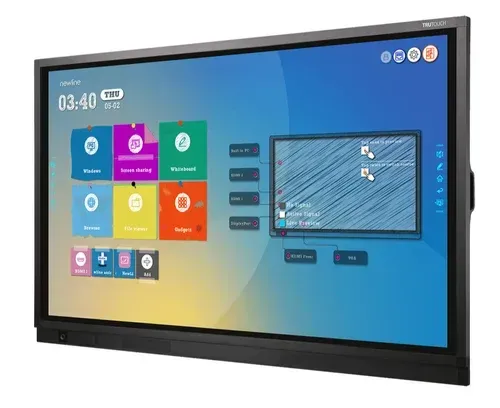
An interactive flat panel is a touch display built for teaching: teachers write on it, it runs whiteboard software on its own, and it is made and warrantied for daily institutional use. An LED TV is a display only, made for home viewing. Choose a TV for rooms where the screen just shows content, and a panel for any room where the teacher teaches at the screen.
The price gap is real. A TV of the same size costs far less than a panel, which is why this question comes up in almost every school budget meeting. This guide sets out what the extra money buys, where it buys nothing, and how to decide room by room.
Interactive flat panel vs LED TV: the comparison
The two look alike on a wall.
Touch and writing
Interactive flat panel: multi-user touch with finger and pen, palm erase on many models
LED TV: no touch. Content is controlled from a remote, a laptop or a phone
Teaching software
Interactive flat panel: whiteboard, annotation and screen recording built in, usually with wireless screen sharing
LED TV: streaming apps. Teaching needs a connected laptop or casting device
Screen surface
Interactive flat panel: toughened glass with anti-glare treatment
LED TV: thin, usually glossy panel surface, not meant to be touched or leaned on
Connections
Interactive flat panel: front-facing ports, an OPS slot for a plug-in PC, USB touch output to a laptop
LED TV: HDMI and USB at the back, with a tuner and consumer smart-TV interface
Warranty and service
Interactive flat panel: commercial warranty, often 3 years, with service at the school
LED TV: home-use warranty, commonly 1 year. Check the terms for commercial use
Purchase cost
Interactive flat panel: higher. See our interactive flat panel price guide for current indicative ranges
LED TV: much lower for the same screen size
Touch: the difference that changes teaching
With a panel, the teacher stands at the screen, writes over a diagram, drags a label, saves the board and moves on. With a TV, the teacher either sits at a laptop with her back half-turned to the class, or walks between the laptop and a separate whiteboard. That sounds minor. Over six periods a day it decides whether the screen is used for teaching or only for playing videos.
Education panels are designed for several students writing at once. One current education panel series lists 64-point multi-touch, and most support both pen and finger.
Add-on infrared touch frames for TVs do exist. In our experience they are a compromise: the TV's glass is not built to be pressed, the frame needs calibrating, and fitting it may affect the TV's warranty. If the room needs touch, buy a product designed for touch.
Glass, glare and a room full of children
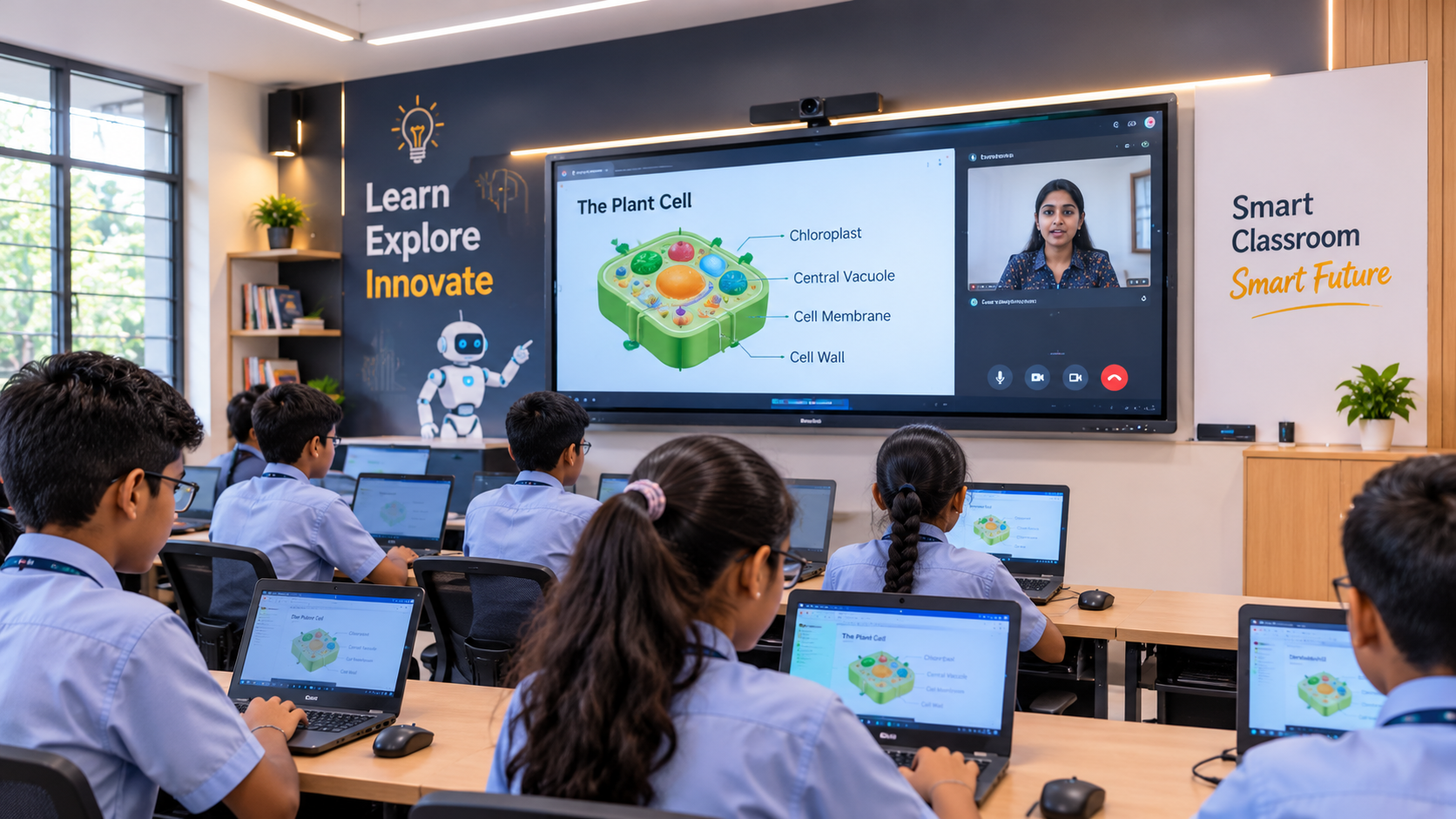
A classroom has open windows, tube lights and thirty to forty children moving around. Panels made for schools use heat-tempered, hardened glass over the display and treat the surface to cut glare. A home TV has a thin front layer that marks easily and reflects every window behind the class.
Check glare yourself before buying anything. Stand at the back corner desk at 11 am with the lights on and the curtains as they normally are. If you cannot read 24-point text from there, the screen is wrong for the room, whatever it cost. Our guide to interactive flat panel specifications explains brightness, anti-glare and glass ratings in plain terms.
Running hours: what each is built for
A classroom screen is on for six to eight hours a day, about 200 to 220 days a year. That is roughly 1,200 to 1,750 hours a year, a different pattern from a few hours of evening viewing at home.
Panel manufacturers publish a backlight life figure, commonly 50,000 hours, and position the product for all-day use. Consumer TVs are designed around home viewing, and manufacturers of education displays say plainly that a smart TV is not built for eight hours a day in a classroom. Treat that as a vendor view, not a law of physics. Many TVs run long hours in shops without trouble. The practical risk is less that the TV fails and more what happens when it does, which brings us to the warranty.
A backlight rating is also not a lifespan promise. Our post on interactive flat panel lifespan and warranty explains what usually wears out first.
Warranty: read the terms before you compare prices
This is the point most schools miss. A TV warranty is written for a household. A panel warranty is written for an institution.
Period. One major manufacturer's India warranty page lists 12 months for LED TVs and 36 months for its interactive flat panels and business displays (published warranty terms, checked November 2026). Other brands differ, so check each one.
Use. Some TV brands' published terms say the warranty is void if the product is used for a commercial purpose. Others exclude use outside the product's stated usage. A school is not a home. Ask the seller, in writing, whether a TV installed in a classroom is covered.
Service. Business display warranties are typically serviced at the customer's premises by an engineer who deals with institutions. Ask what the response time is and get it on the quote.
Before you buy TVs for classrooms: take the exact model number to the brand's service centre or its website and ask one question. "Is this model's warranty valid when it is installed in a school and used every working day?" Keep the answer with the invoice.
When an LED TV is the right choice
A panel is not the answer for every wall. A TV is a sensible buy where nobody needs to write on the screen:
Reception, corridors and notice displays showing announcements, timetables and photographs
Staff rooms and small meeting rooms where a laptop is plugged in for a presentation
Pre-primary rooms used mainly for rhymes, stories and short videos, with the screen mounted out of reach
Libraries and activity rooms where the screen is used occasionally
A stop-gap in a classroom that already has a good writing board and will get a panel in a later phase
If the choice is between a TV and a projector, our digital board vs projector comparison covers that decision.
When a panel is worth the extra money
Any classroom where the teacher teaches at the screen for several periods a day
Maths and science rooms where working, diagrams and graphs are written live
Rooms shared by many teachers, where a built-in whiteboard and one-touch start matter more than any feature
Hybrid or recorded lessons, where the board content has to be captured and shared
Size matters as much as type. A 55-inch TV at the front of a 30-foot room helps nobody past the third row. Use our 65 vs 75 vs 86 inch size guide before fixing the model.
A simple way to decide, room by room
Walk through the school with a list of rooms and ask three questions in each:
Will a teacher write on this screen? If yes, it needs a panel.
How many hours a day will it be on? All day, every day, points to a commercial product with a commercial warranty.
Who will fix it, and how soon? If a week without the screen would disrupt teaching, on-site service matters.
Most schools end up with a mix: panels in classrooms, TVs in common areas. For how the display fits into the full room budget, see our smart classroom setup cost breakdown.
Frequently Asked Questions
Can a smart TV be used as a smart board in a classroom?
A smart TV can show lessons, videos and a laptop screen, but it cannot be written on, so it does not replace a smart board. Teachers have to control it from a laptop or remote and use a separate board for writing. It suits rooms where the screen only displays content, not rooms where teaching happens at the screen.
Why is an interactive flat panel so much costlier than a TV of the same size?
The panel adds a touch system, toughened anti-glare glass, a built-in computer with whiteboard software, front ports, microphones and speakers on many models, and a longer commercial warranty with on-site service. A TV is a mass-market home product sold in far larger numbers. You are paying for the teaching features and the service terms, not for the picture.
Does using a TV in a school affect its warranty?
It can. Consumer TV warranties are written for home use, and some brands' published terms state that commercial use voids the warranty or falls outside the product's intended usage. Terms differ by brand and change over time. Before buying, ask the seller to confirm in writing that the model is covered when installed in a school.
Can we add a touch frame to a TV and make it interactive?
Add-on infrared touch frames are sold for this purpose, and they do register touch. The result is rarely as good as a purpose-built panel: the TV's front surface is not designed for pressing, the frame needs calibration, and the modification may affect the TV's warranty. For a room that needs daily touch use, a panel is the safer purchase.
Is an LED TV enough for a pre-primary or nursery classroom?
Often, yes. If the screen is used for rhymes, stories and short videos, and the teacher does not write on it, a TV mounted safely out of children's reach does the job. Choose a panel instead if you want children to touch and drag objects on the screen as part of the activity.
How long will an interactive flat panel last in a school?
Manufacturers commonly rate the backlight at 50,000 hours, which is many years at six to eight hours a school day. The backlight is rarely what ends a panel's working life, though. Power boards, touch components and software support matter as much. Judge on warranty length and local service, not only on the hours figure.
Not sure which rooms need a panel? Ask AVM Infotech
We will walk through your rooms with you and tell you where a panel is needed and where a TV will do, then put it in writing with line-item prices. If a TV is the right answer for a room, we will say so.
Call us on +91 9981444724 or visit avminfo.in to arrange a site visit and demo.
By Anand Ingle. Warranty periods and usage terms vary by brand and model and change over time; confirm the current terms for the exact model before buying. Running-hour figures are illustrative.

