Smart Board Features Every School Should Check in 2026
The smart board features that actually matter for a classroom are touch accuracy, screen clarity, a stable operating system and honest connectivity — not the long spec sheet on the brochure. A modern smart board (an Interactive Flat Panel, or IFP) combines a 4K touchscreen, whiteboard software, an Android or Windows system and wireless screen sharing into one device.
This guide breaks down the features that change day-to-day teaching, the ones that are marketing noise, and what to verify before you sign a purchase order. It’s written for principals, administrators and coordinators buying for real classrooms in 2026 — not for a showroom demo.
Display and touch: the features you feel every period
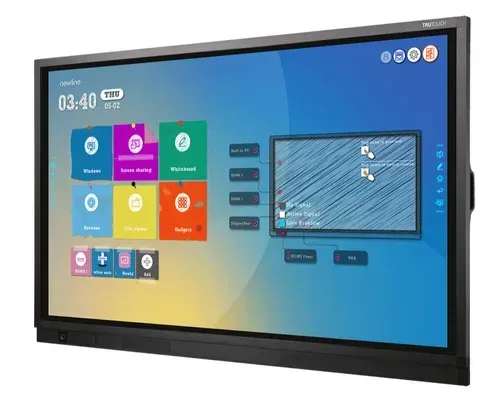
Two features decide whether a smart board feels effortless or frustrating: the screen and the touch. Everything else is secondary.
Resolution — 4K UHD (3840×2160): now the classroom standard. It keeps text and diagrams crisp from the back row. Anything below 4K on a 65-inch-plus panel starts to look soft.
Touch points — 20-point is the sweet spot: 10-point is the practical minimum; 20-point lets several students write or drag at once, which is where group work actually happens. Some panels advertise 40-point — useful, but rarely the deciding factor.
Touch response time: a response under about 8 ms makes writing feel like a real whiteboard. Laggy touch is the fastest way to make teachers abandon a board.
Touch technology: infrared (IR) is affordable and widely used , There are also options with IR Optical touch which enhance the touch performance further.
Anti-glare glass: tempered, anti-glare surface cuts reflections and eye strain in bright rooms. In a classroom with big windows this is not optional.
Brightness: aim for at least 350–400 nits so the screen stays readable in a well-lit room.
The brain: operating system, memory and OPS
A smart board is a computer as much as a screen. The internals decide how fast it feels three years from now.
Operating system: most panels run Android (version 14 or 16 is current), and many offer dual OS with Windows via an add-in module. Android alone is enough for most schools; add Windows only if teachers need specific desktop software.
OPS slot: an Open Pluggable Specification slot lets you drop in a Windows PC module later without replacing the panel. It’s the single best future-proofing feature — buy the slot even if you skip the module for now.
RAM and storage: 8GB / 128GB is the recommended RAM and ROM on the board.
Connectivity and collaboration features
These are the features that decide whether a teacher can walk in and start, or spends five minutes fighting cables.
Wireless screen sharing: casting from a phone, tablet or laptop with no wires. This is the feature teachers use most once they discover it.
Ports: confirm at minimum HDMI, USB (including USB-C), LAN, plus Wi-Fi and Bluetooth. Missing ports are a daily headache.
Built-in camera and microphone: increasingly standard on 2026 panels — genuinely useful for hybrid classes, parent sessions and recording lessons. Optional if you never teach online.
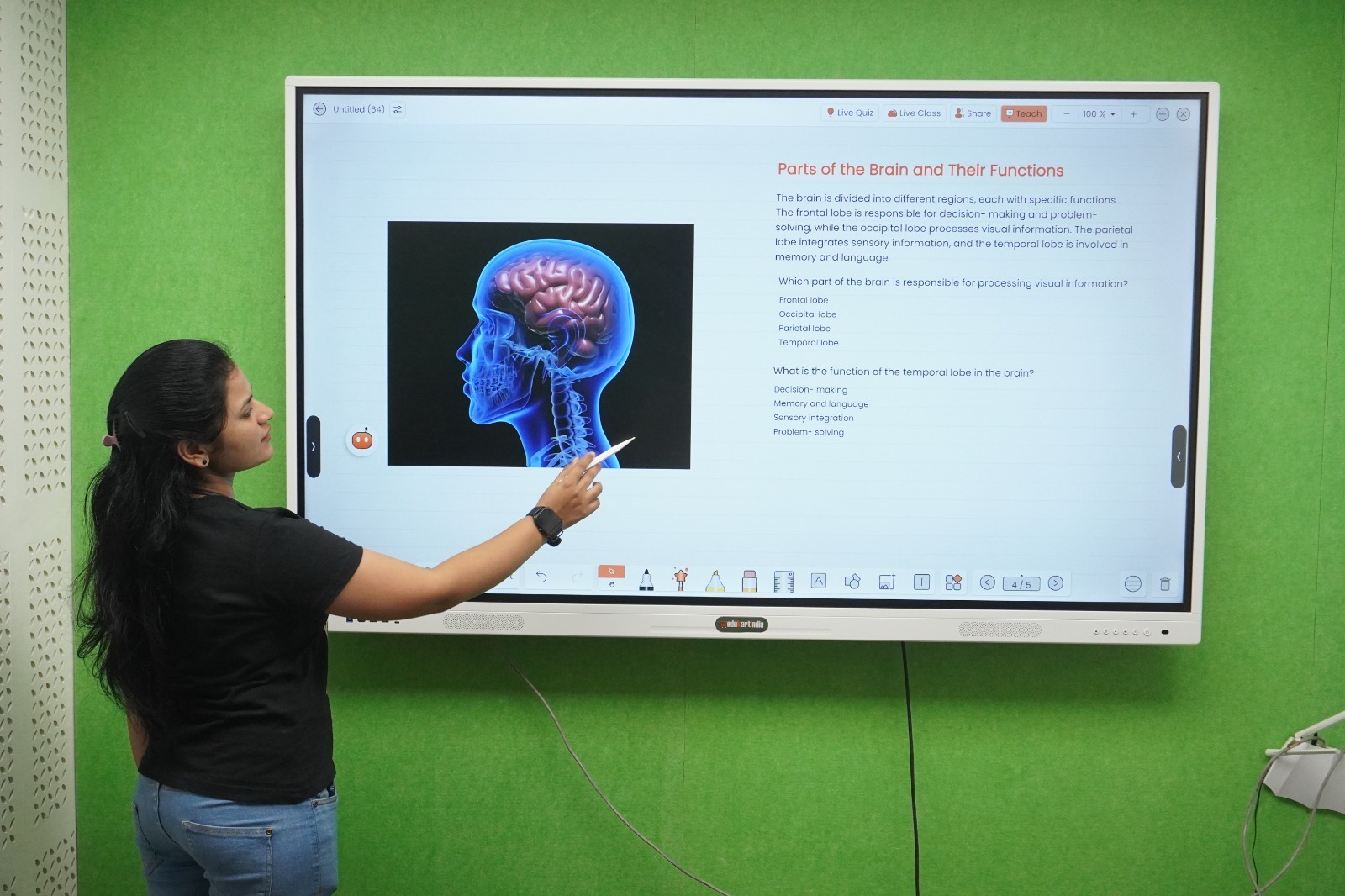
Whiteboard and annotation software: the ability to write over any content — PDFs, maps, science videos, live diagrams — and save or share it. A good software suite matters more than one extra hardware spec.
Which features are worth paying for — and which aren’t
Not every headline feature earns its price. A practical way to prioritise:
Pay for: 4K, 20-point touch, anti-glare glass, an OPS slot, and reliable wireless sharing. These affect every lesson and every year of ownership.
Nice to have: built-in camera/mic (only if you teach hybrid), dual OS (only if a specific app needs Windows), 40-point touch.
Don’t overpay for: the very largest sizes in ordinary classrooms, or bundled content you’ll never open. Buy the panel and software your teachers will actually use.
Features are only half the decision — size and price are the other half. See our companion guides on choosing 65″ vs 75″ vs 86″ and interactive flat panel prices in India. If you’re still weighing formats, our digital board vs projector comparison is a good starting point, and the full picture is in all about smart classrooms.
A quick honest note on price
Feature-rich doesn’t have to mean expensive. Classroom interactive flat panels in India start from around ₹85,000 + GST for a 65-inch model and rise with size, brightness, memory and brand. A bigger price tag usually buys a bigger or brighter screen and more onboard memory — not necessarily better teaching. Match the spec to the room and the way your teachers work.
Frequently asked questions
What are the most important features in a classroom smart board?
4K resolution, responsive multi-touch (20-point is ideal), anti-glare glass, adequate brightness (350–400 nits), a stable Android or dual-OS system with an OPS slot, and reliable wireless screen sharing. These affect teaching every single period.
How many touch points does a school smart board need?
Ten-point touch is the practical minimum. Twenty-point is the sweet spot for classrooms because it lets several students write or interact at once during group work. Forty-point exists but rarely changes the buying decision.
Is Android or Windows better for a smart board?
Android (version 11 or 13) is enough for most schools and is simpler to manage. Choose a dual-OS panel, or one with an OPS slot for a Windows module, only if your teachers rely on specific desktop software. The OPS slot is worth having either way for future flexibility.
What is an OPS slot and do we need one?
An OPS (Open Pluggable Specification) slot lets you add a Windows PC module to the panel later without replacing it. It’s the best future-proofing feature on a smart board, so buy the slot even if you don’t add the module immediately.
Does a smart board need a good camera and microphone?
Only if you run online or hybrid classes, parent sessions or recorded lessons — then a built-in camera and mic are very useful. For purely in-person teaching they’re a bonus, not a must-have.
Choosing a smart board for your school?
AVM Infotech helps schools and coaching centres pick, install and support the right interactive flat panels — matched to your classrooms, budget and how your teachers actually teach, with honest advice on which features are worth paying for. Talk to us for a demo and a spec that fits your rooms.
📞 Call or message AVM Infotech to book a classroom demo or get a tailored quote — visit avminfo.in/contact.
Authority reference: National Education Policy 2020 ICT-in-education provisions, Ministry of Education — education.gov.in.

